A practical email approval workflow for teams working in Notion
Define who reviews a newsletter, what approval covers and when edits require another check, using a practical Notion email workflow.

An email approval is useful only when everyone knows which version was approved and what happens next. A comment saying looks good can become ambiguous after the subject, audience or content changes.
A clear workflow defines the reviewer, the material being reviewed and the action that releases the campaign. Teams using Notion can keep the writing process familiar while making that final decision explicit.
Decide what needs a review
Start with the campaigns where another person's judgment matters. A client newsletter may need the account owner's sign-off. A product announcement may need a product reviewer. A routine issue written and sent by one person may need only a personal test checklist.
Write down the scope of approval. For a newsletter, that should normally include the content, links, subject, sender and audience. Assign one person to resolve disagreements rather than leaving the campaign waiting for an undefined group.
Review the email the audience will see
Comments on the Notion draft help improve the writing. The final review should also include the rendered email and an inbox test. Images, spacing, link destinations and footer details can look different once the content becomes an email.
Keep a short final checklist beside the process: correct audience, correct sender, working links, readable mobile layout and final wording. A reviewer should be able to make a decision without searching through several tools for the current version.
Make the release action explicit
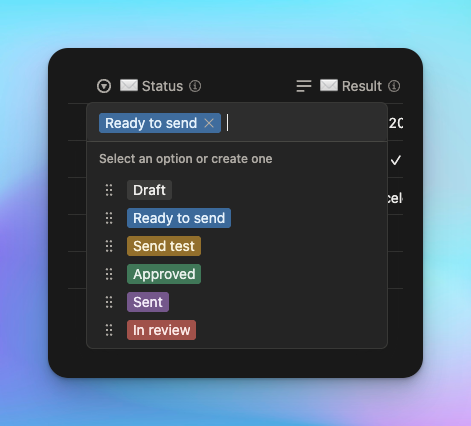
Nocadi supports optional required team approvals. An organization owner chooses the approvers and the number of approvals needed. When the campaign is set to Send to audience, the send waits for review rather than immediately reaching subscribers.
Approvers receive an email containing the campaign and can approve or reject it. The campaign proceeds when the required approvals are collected. A rejection blocks the send and gives the team a reason to address before trying again.
Treat edits as a new decision
Approval applies to the version that was reviewed. If the campaign changes afterwards, Nocadi starts a fresh review. This behavior matters when an apparently small edit changes a promise, a destination link or the intended audience.
Build time for that possibility into the calendar. Set a review deadline before the intended sending time. If a required reviewer is unavailable, make an explicit decision about the schedule or reviewer configuration rather than assuming silence means approval.
Test the process with an internal issue
Before using approvals for a real launch, create a small internal campaign. Ask one person to approve it and another test reviewer to reject a separate version. Confirm where the outcome appears and how the writer starts the next review after an edit.
Keep the process proportionate. The objective is a clear decision on the final email, with enough time to fix problems. Add reviewers only when their decision changes whether the campaign should go out.
To see Nocadi's approval setup and status flow, visit nocadi.com/guide. Run a controlled campaign through the workflow before relying on it for your next public send.
